For iPhone, iPad and Mac
Your character sheet, kept right.
Ratcatcher keeps your character sheet right, so you can stop doing sums and play. Every number is worked out and shows you how, your XP adds up after every Advance, and the sheet goes with you, offline, synced through your own iCloud.
An unofficial character sheet for Warhammer Fantasy Roleplay (WFRP) 4th edition. Free, with no account. And the web app puts the same sheet in any modern browser.

XP that adds up
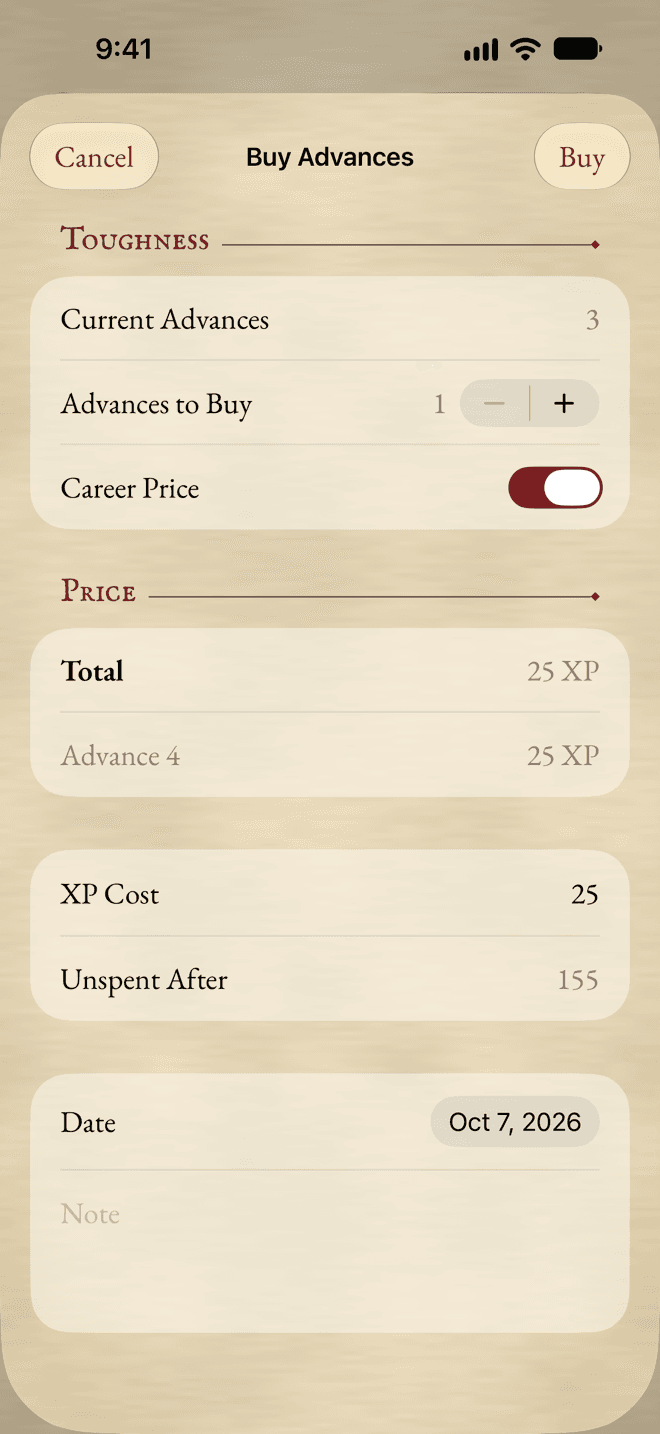
Buy an Advance, and the ledger does the rest.
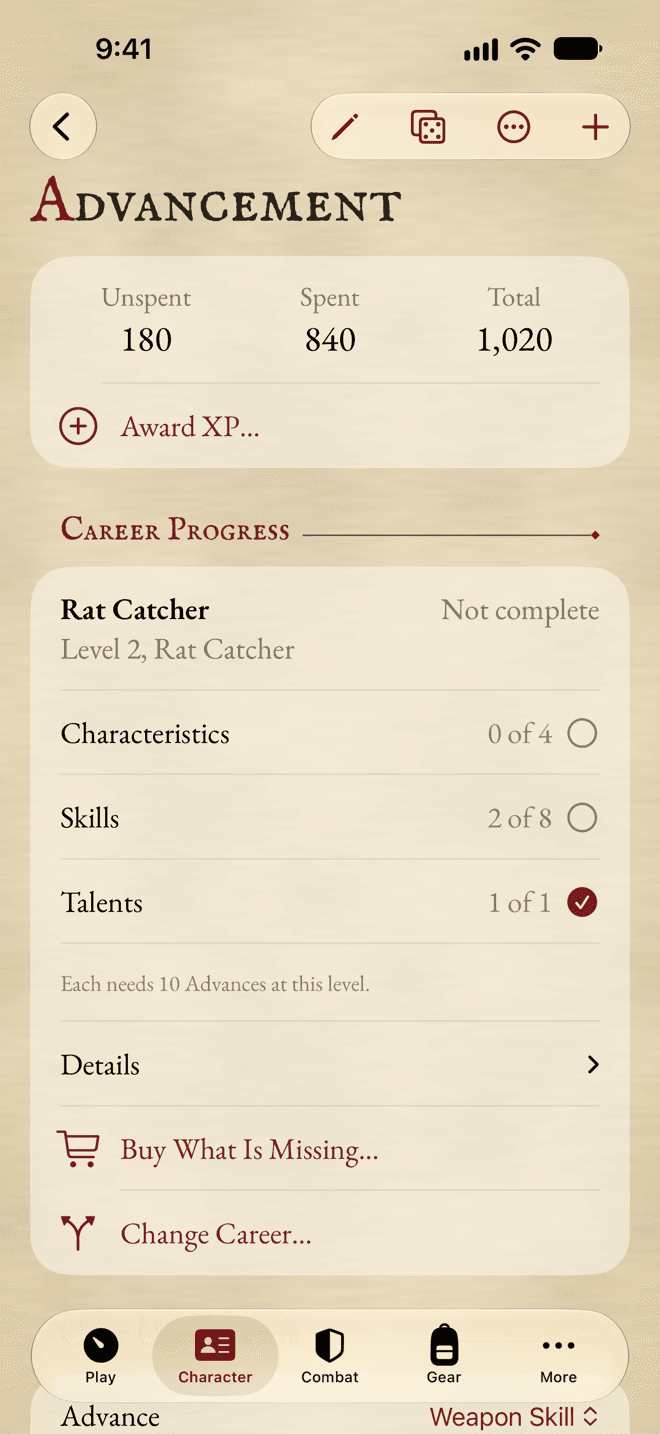
Buy Advances and Talents from the sheet. You see the price before you pay, career costs included, and every purchase goes in the experience ledger, so Total, Spent and Unspent XP stay right. Undo the last one if you slipped.
Every number shows its working
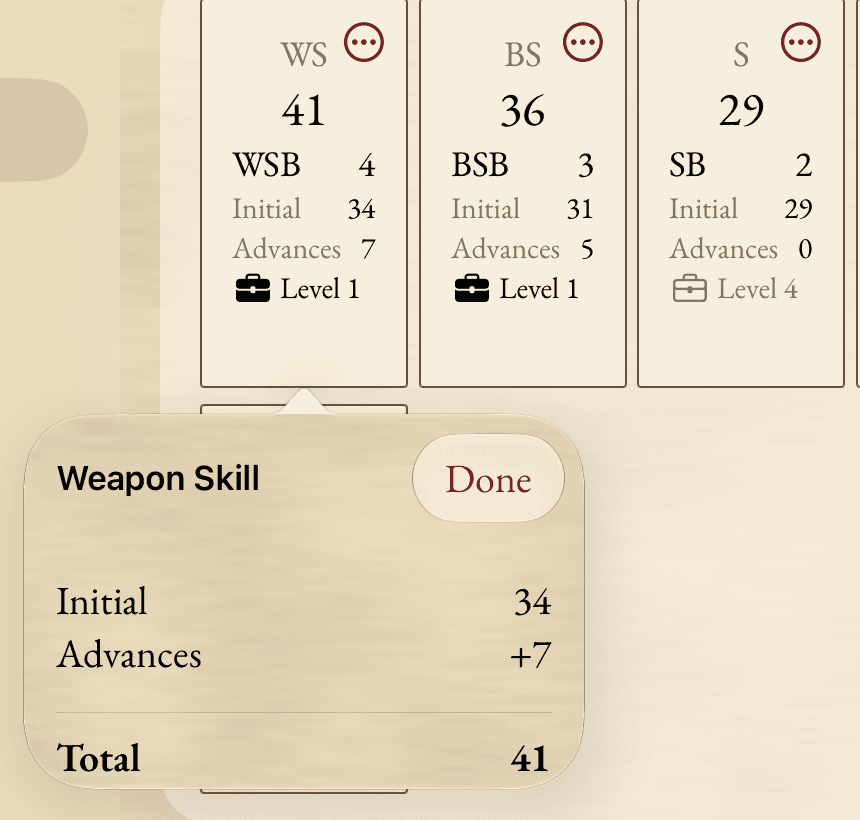
Tap a value. See each part of it.
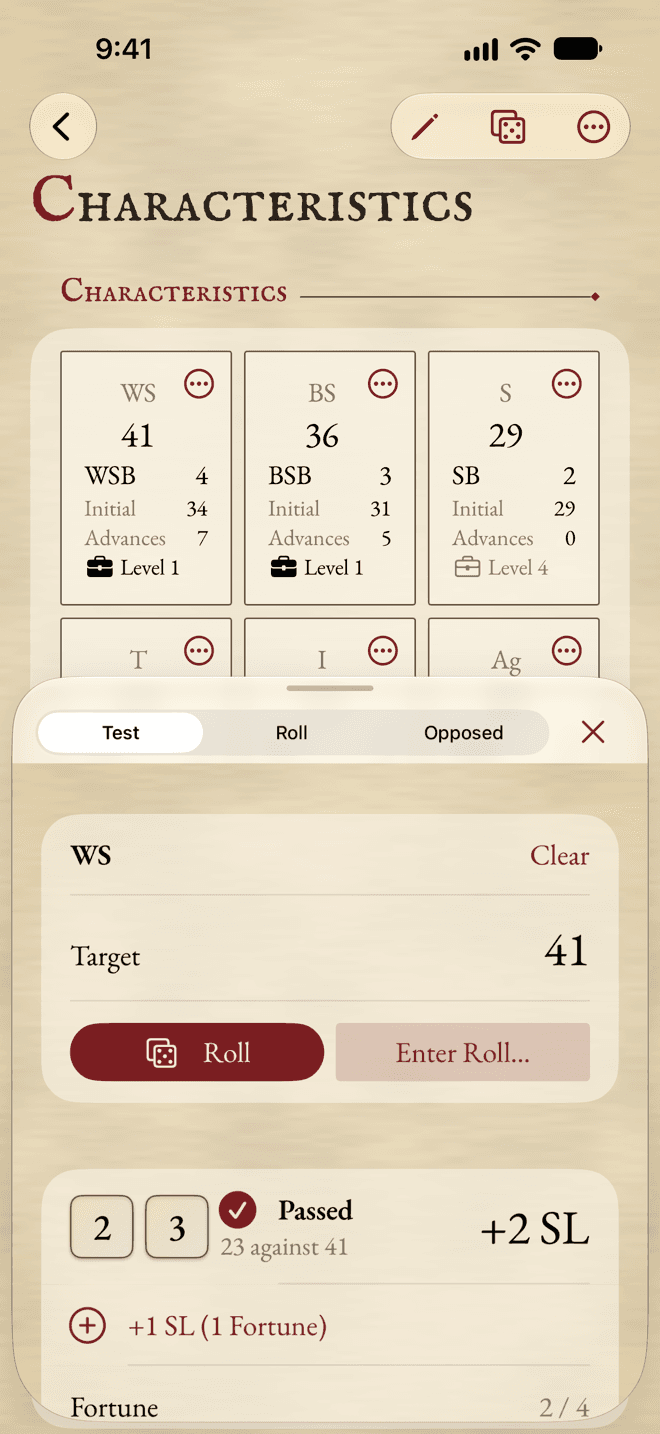
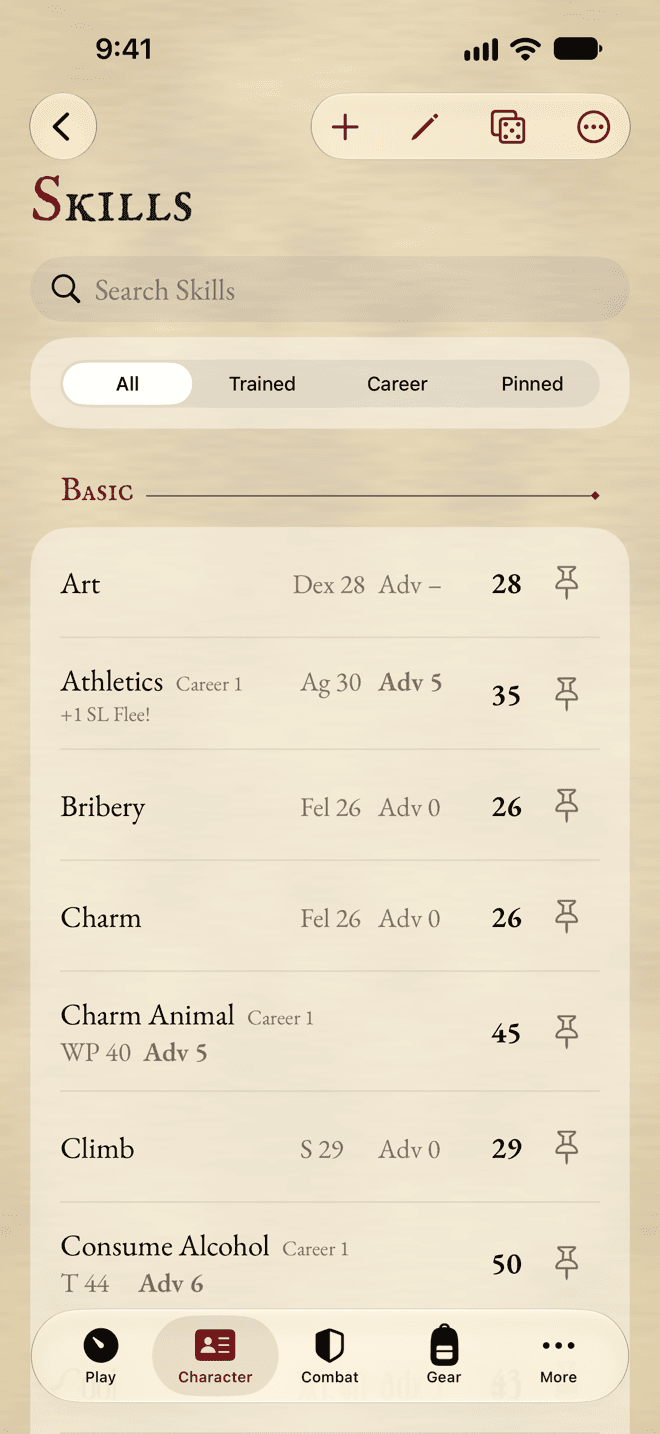
A Characteristic, a skill’s target, your Wounds, your Encumbrance or the Armour on a hit location: tap it and see what makes it up. Talents, Conditions and worn armour are applied for you, so you can check the sheet, and so can your GM.
Built for the table
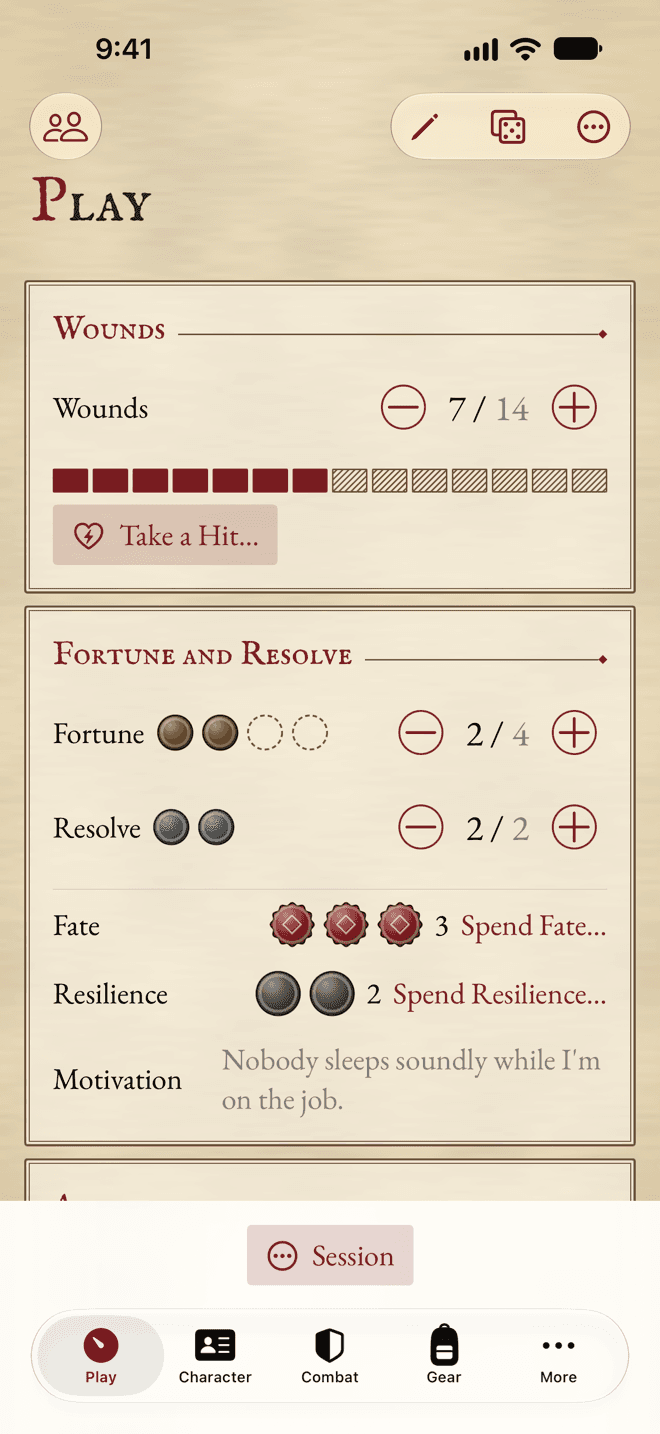
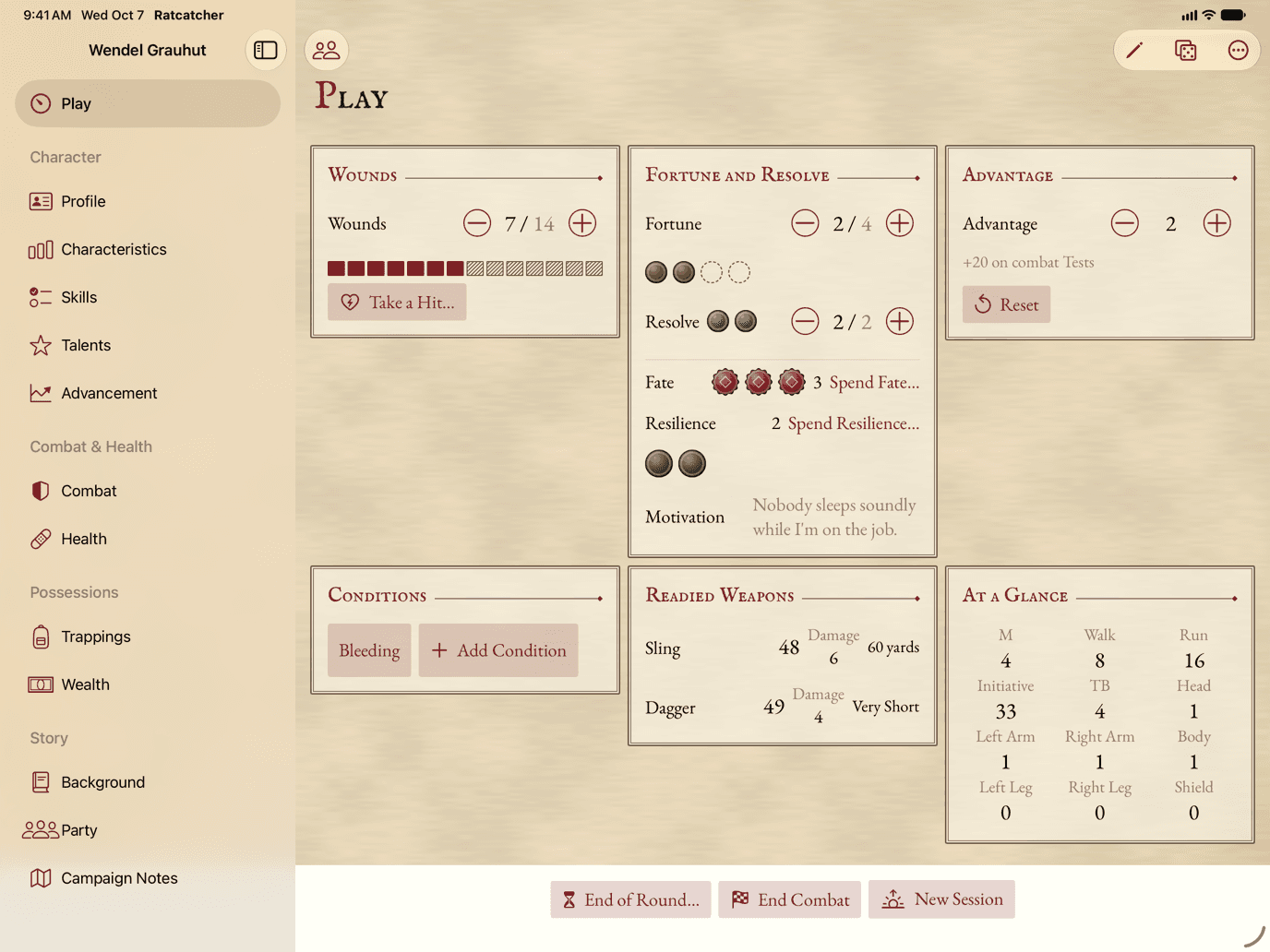
The trackers you change most, one tap away.
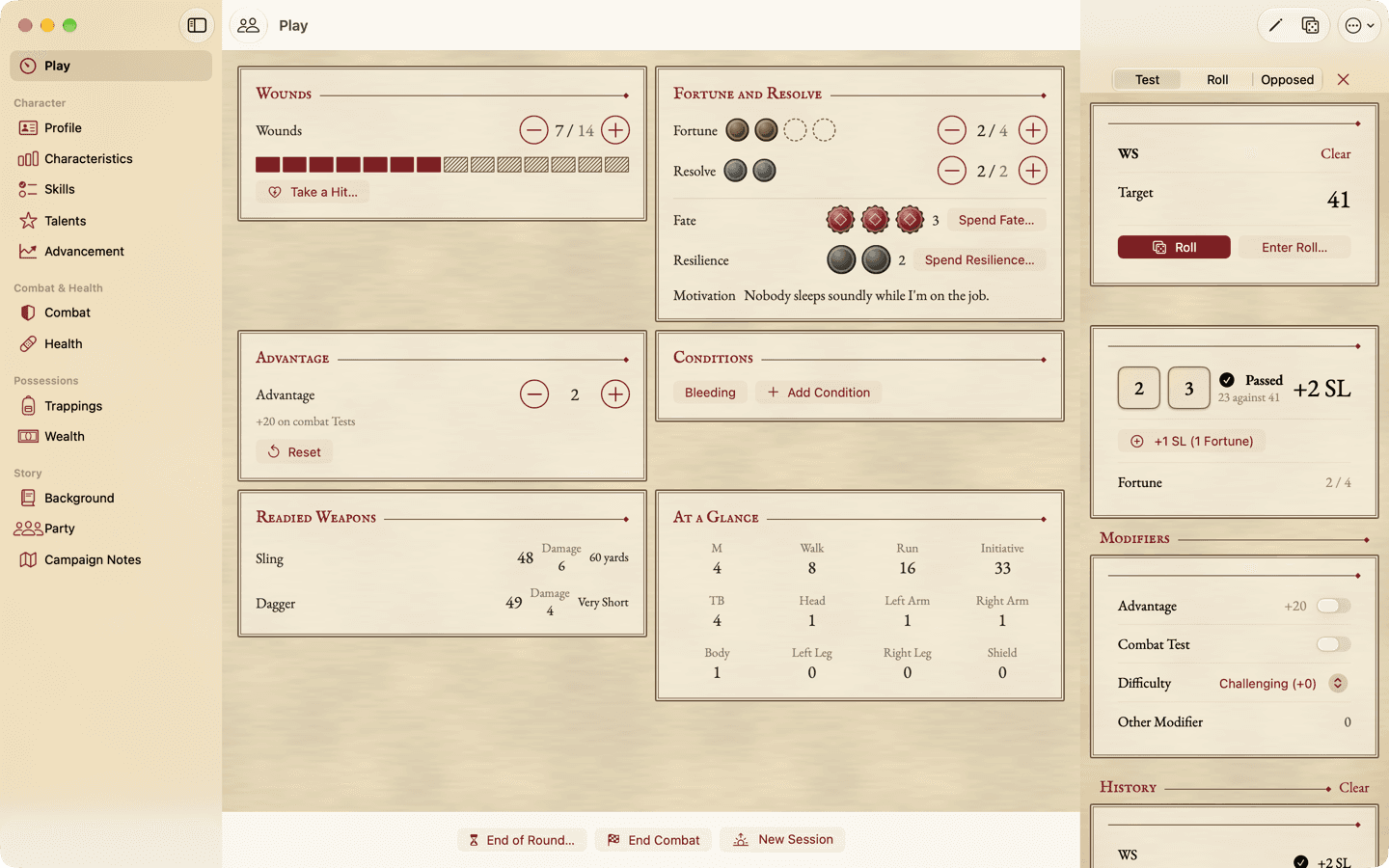
The Play view keeps Wounds, Fortune, Resolve, Advantage and Conditions at hand, in one hand. Roll Tests with Success Levels in the dice panel, or type in what your own dice rolled. When a change has a consequence in the rules, the app offers it; it never applies it behind your back.
And the rest of the sheet
Everything a character carries, from the first roll to the last Advance.
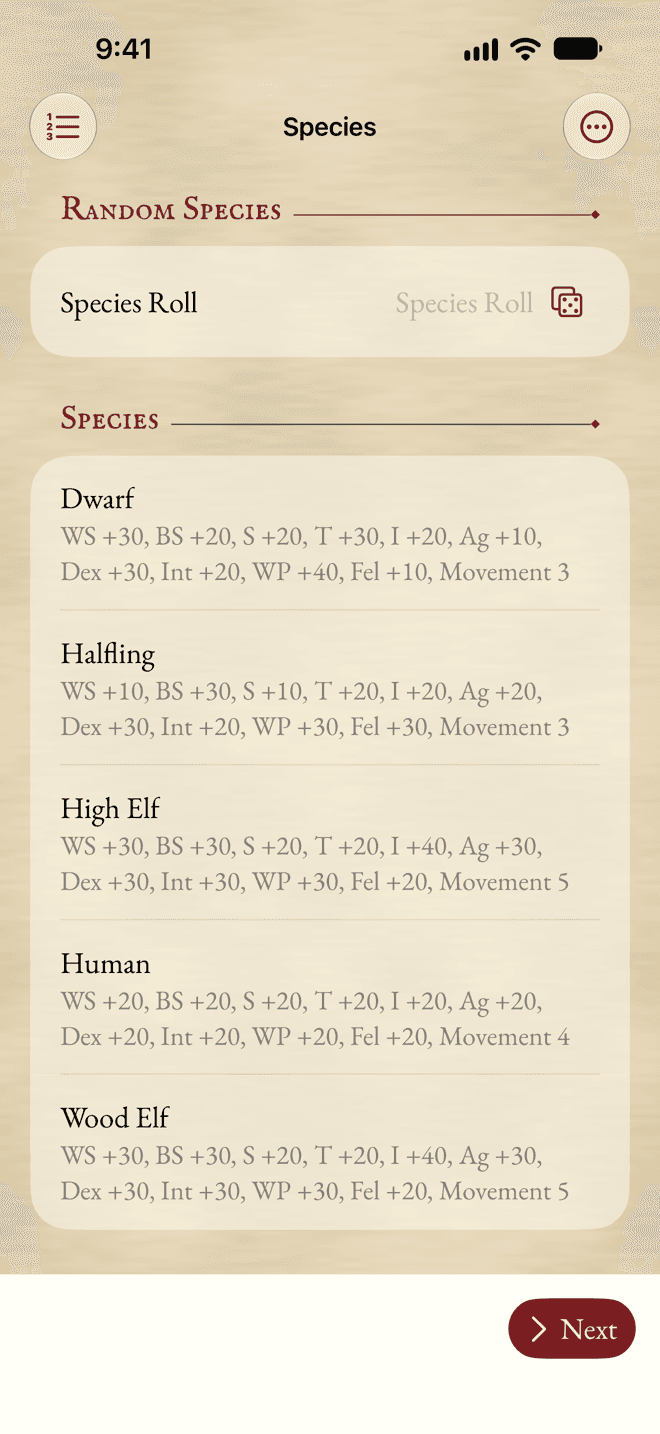
- Guided Creation
- A new character step by step, with your dice or the app’s. Finish later.
- Skills and Talents
- Every skill with its target, and Talents whose effects are applied for you.
- Health
- Wounds, Conditions, Critical Wounds, injuries and diseases, and healing.
- Corruption
- Corruption points, mutations and Psychology, with their limits.
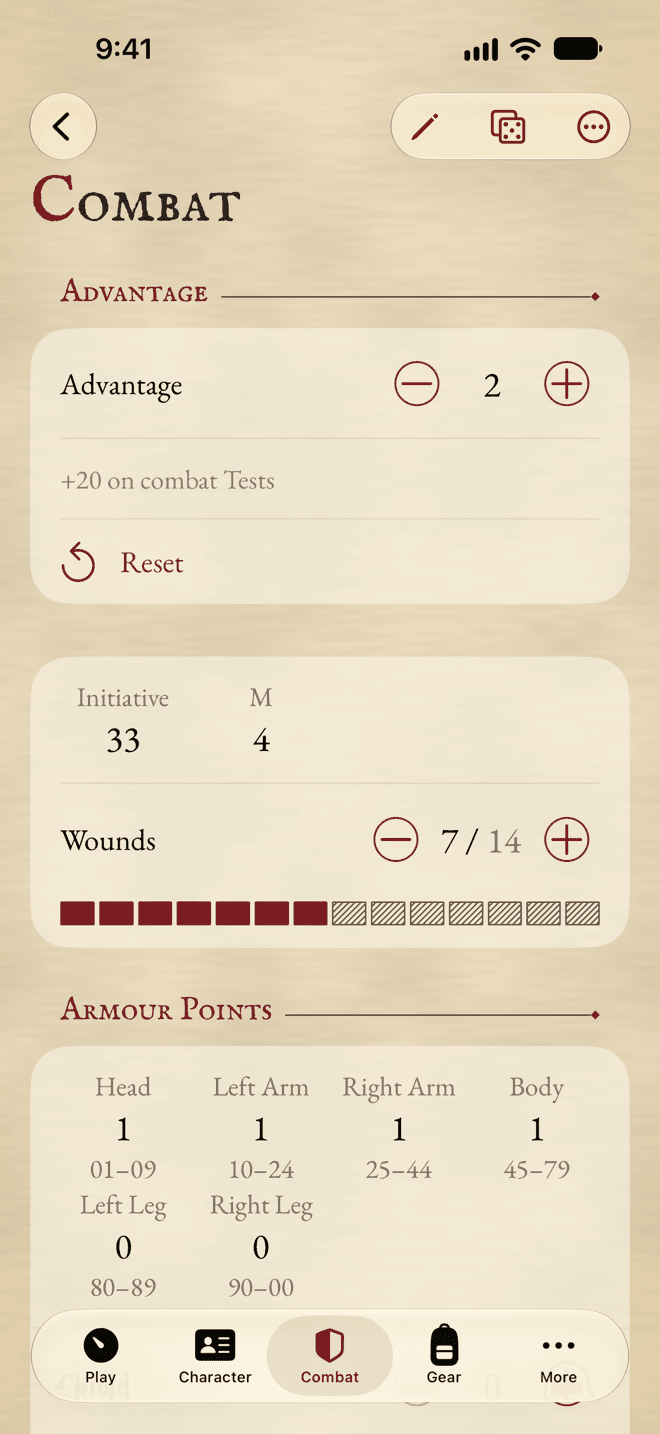
- Combat
- Weapons with their Damage, Armour by hit location, Advantage and ammunition.
- Magic and Religion
- Spells, channelling and ingredients; Blessings, Miracles and Sin.
- Coins and trappings
- A history of what you paid and received, containers, and Encumbrance.
- Story
- Background, party, campaign notes, NPCs, places and a journal.
- Your own content
- Add entries of every kind to the Compendium, or import content packs.
- Print your sheet, or export it as a PDF to hand your GM.
- Your table’s rules
- Optional rules per character, and the sections you don’t use hidden.
- Accessible
- VoiceOver, Dynamic Type, and the keyboard on the Mac.
Every screen, step by step, is in the user manual.
Yours, everywhere
iPhone at the table. iPad on the couch. Mac for prep.
A native app on each, the Mac with its menus and keyboard shortcuts. Ratcatcher works offline, even in a basement with no signal. Your characters stay on your devices and sync through your own iCloud: no account, no sign-in, no tracking.
In your browser
The same sheet, in any browser.
The web app runs in any modern browser, from a phone to a desktop window. Install it from the browser, and it works offline. Your characters stay on your device, in the browser’s storage: no account, no server, and no sync between browsers. A character moves between the web app and the apps for iPhone, iPad and Mac as a file, either way, and so does a content pack.
On iPhone and iPad, add it to your Home Screen before you trust it with a character. The user manual says how to install it and keep your characters safe.
Open the Web AppFree
Every feature is free.
Ratcatcher is free on the App Store. A free copy shows one small card for another indie app under your character list, never on the sheet. An optional one-time Supporter purchase removes it and helps keep Ratcatcher going. The web app is free too, with no card and nothing to buy: under your character list, a Buy Me a Coffee link is there if you’d like to give something back.
Questions
- Which game is it for?
- Warhammer Fantasy Roleplay (WFRP), 4th edition: Characteristics, skills, Talents, careers, XP and Tests with Success Levels, worked out for you.
- Is it official?
- No. Ratcatcher is an unofficial fan project, not affiliated with or endorsed by Games Workshop or Cubicle 7.
- Does it have the rules?
- No rules text. It does the arithmetic and keeps the sheet in order; you still need the rulebook.
- Where do the names and numbers come from?
- A built-in list of names and numbers, which you can replace or extend with your own entries or a content pack.
- Can I keep my current character?
- Yes. Enter what it has: Advances it already had are free and write no XP, so a character in the middle of a campaign comes in as it is.
- Which edition?
- The fourth edition today. The engine treats the edition as data, and the newest edition is planned after 1.0.
- Where’s my data?
- In the apps, on your devices and in your own iCloud. In the web app, in your browser’s storage, on your device. There is no account, and nothing you enter is sent to me. Export a character file or a PDF at any time.
- Can my party share a sheet?
- Each player keeps their own. One iCloud account syncs its own devices, and a GM can keep the party’s sheets on theirs.
- Android, Windows, the web?
- Yes, through the web app: it runs in any modern browser, on a phone or a computer, and installs like an app. The native apps are for iPhone, iPad and Mac.
- Can I move a character between the web app and the apps?
- Yes, as a file, either way. Export it from one and import it in the other, through AirDrop, Files, iCloud Drive, mail or any folder. Content packs move the same way. Nothing syncs between them.
Try it at your next session.
Ratcatcher is on the App Store, for iOS 26, iPadOS 26 or macOS 26, or later. Or open the web app, in any modern browser.