Magic and Religion
Magic and Religion show up on their own when your character needs them: Magic once a talent grants spells or a spell is listed, Religion once a talent grants prayers, a prayer is listed, or your character has Sin. You can also show or hide them in Sheet Options.
Spells
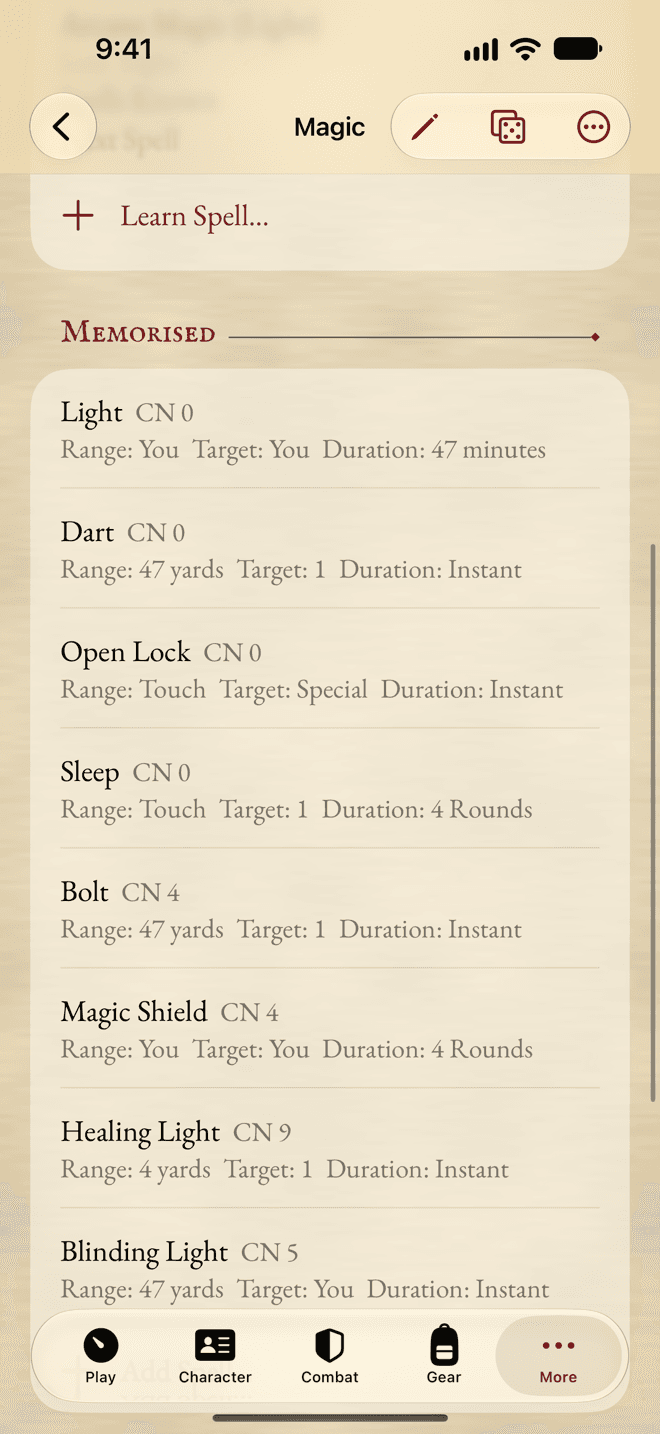
At the top, the skills and Characteristics your spells use. Then Learning: for each talent that grants spells, how many you know, how many free spells are left, and the price of the Next Spell.
Magic finds the skills it needs by what they’re used for, not by their name. If it says No skill has the Casting role., open your casting skill in Skills, swipe it and choose Edit…, then switch on Casting under Used For. The same goes for Unarmed.
Your spells are listed under Memorised, and under Not Memorised for those you only have written down. Each shows its Casting Number, Range, Target and Duration.
Learning a spell
- Tap Learn Spell… (or Add Spell…).
- Pick the spell, or type the name of one of your own and describe it.
- Say how it was Gained: Free, granted with its talent; Buy, for XP; or Not Memorised, written down only.
- Tap Add.
A bought spell goes into your experience ledger. To memorise a written spell later, swipe it and tap Memorise….
Casting
Tap a spell to roll its Casting Test in the dice panel. For the whole casting in one place, swipe it (or touch and hold it) and choose Cast….
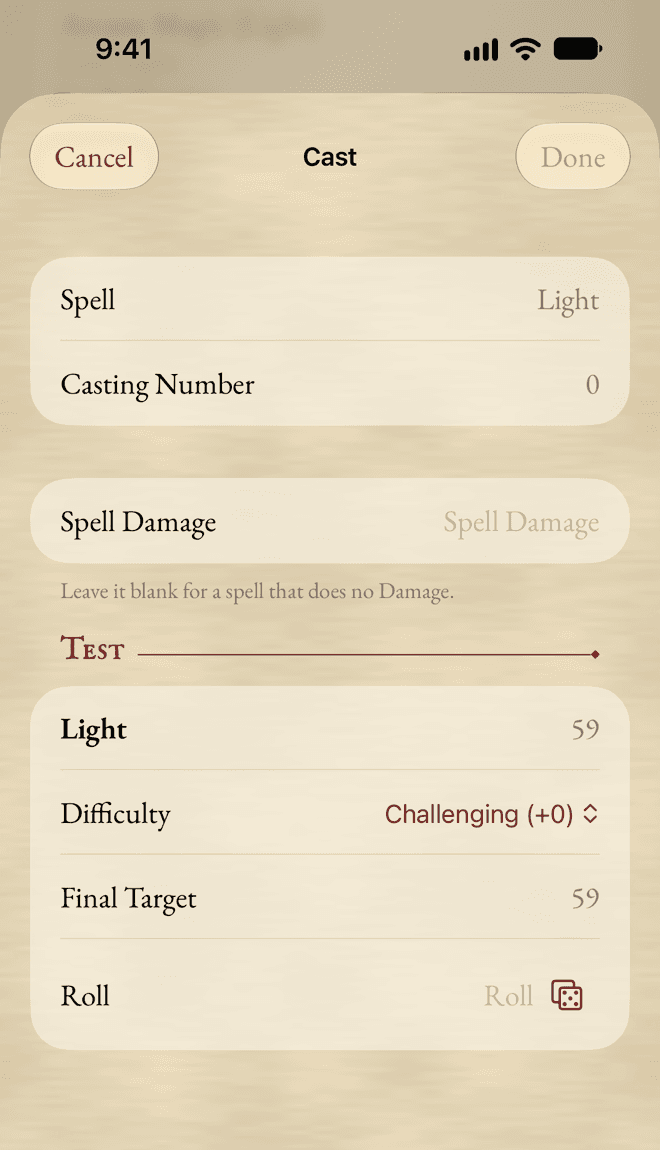
- Pick an Ingredient if you use one: it’s used up by the casting, whatever happens.
- Roll the Test, with the app’s dice or yours.
- The Result says whether the spell is cast and by how many SL, and the Damage when it does any.
- On a Critical or a Fumble, the app reminds you what follows. Your rulebook says the rest.
Tap Done to keep the result, or Cancel to leave everything as it was.
Channelling
Swipe a spell and tap Channel… to build up Success Levels over several Rounds. Each Test adds to the tally on the spell’s row, until it reads Ready. If you’re interrupted, Reset clears it.
Ingredients
Add Ingredient adds one, for one of your spells, with its price. Ingredients are trappings too, so you’ll also find them in Trappings.
Religion
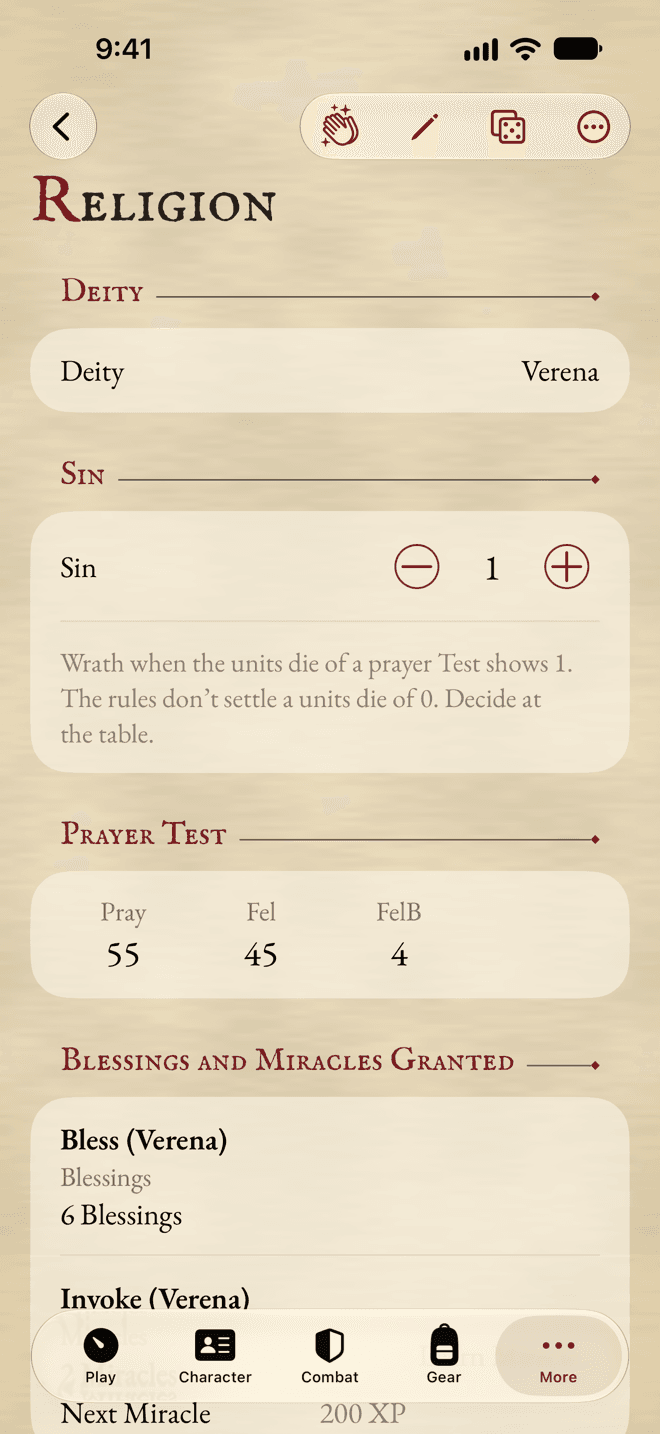
Religion starts with your Deity, chosen in Profile, and Sin, a tracker. It says which dice bring your god’s wrath at your current Sin.
Write your god’s Strictures in Edit mode, or tap Insert from Compendium… to add them from the deity’s entry.
Blessings and Miracles
Under Blessings and Miracles Granted, each talent that grants prayers shows how many you have, and the price of the Next Miracle.
- Add Deity’s Blessings adds every Blessing of your god at once.
- Learn Miracle… buys a Miracle, with its price in your ledger.
- Add Blessing and Add Miracle add one to their list, picked from the Compendium or typed.
Praying
Tap a prayer to roll its Test in the dice panel. For the whole prayer in one place, swipe it and tap Pray…, or use Pray… at the top for a prayer Test on its own.
The result says whether the prayer is answered, and checks your Sin: when the units die brings wrath, the app rolls the wrath with you, works out its total from your Sin, and offers to reduce your Sin afterwards.
The app works out the wrath roll. What it means is in your rulebook.
Still stuck, or does something work differently from what this says? Write to me.