
Your character
The Character sections hold who your character is and what they can do. They’re always shown, and most of what you’ll spend XP on lives here.
Profile
Profile holds who your character is: their portrait, name and player, their details, species, career, Status, deity, Motivation and Ambitions. Turn on Edit to change them.
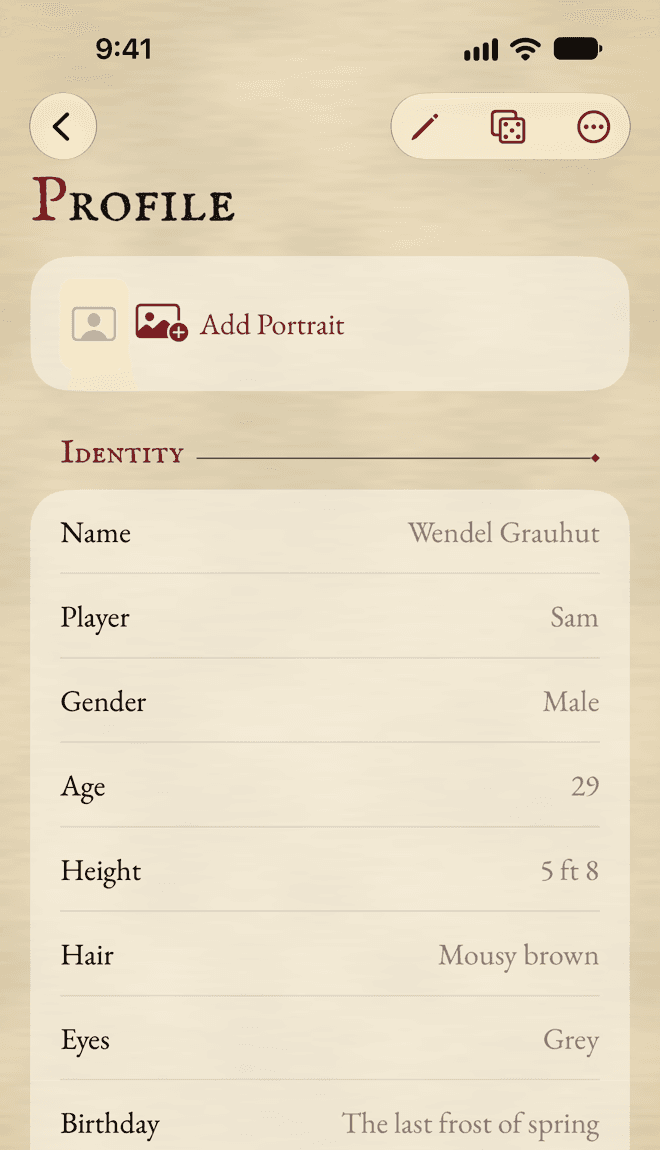
Species and career
In Edit mode, Choose Species… and Choose Career… pick them from the Compendium, or take a name you type. A picked species brings its Movement and its effects. A picked career brings its levels: what each level advances, its skills, its talents and its Status.
Open Level Details to see what your current level offers. To move to another level or career, use Change Career… (see Careers). Picking a career in Edit mode is for corrections only: it costs no XP.
Ambitions
When your character achieves an Ambition, tap Achieved… beside it. The app adds its XP to your experience, then asks what your character aims for next.
The portrait has its own section, in Your characters.
Characteristics
Each Characteristic has a card with its current value and its Bonus, and under them its Initial value and its Advances. A briefcase marks the ones your career level advances.
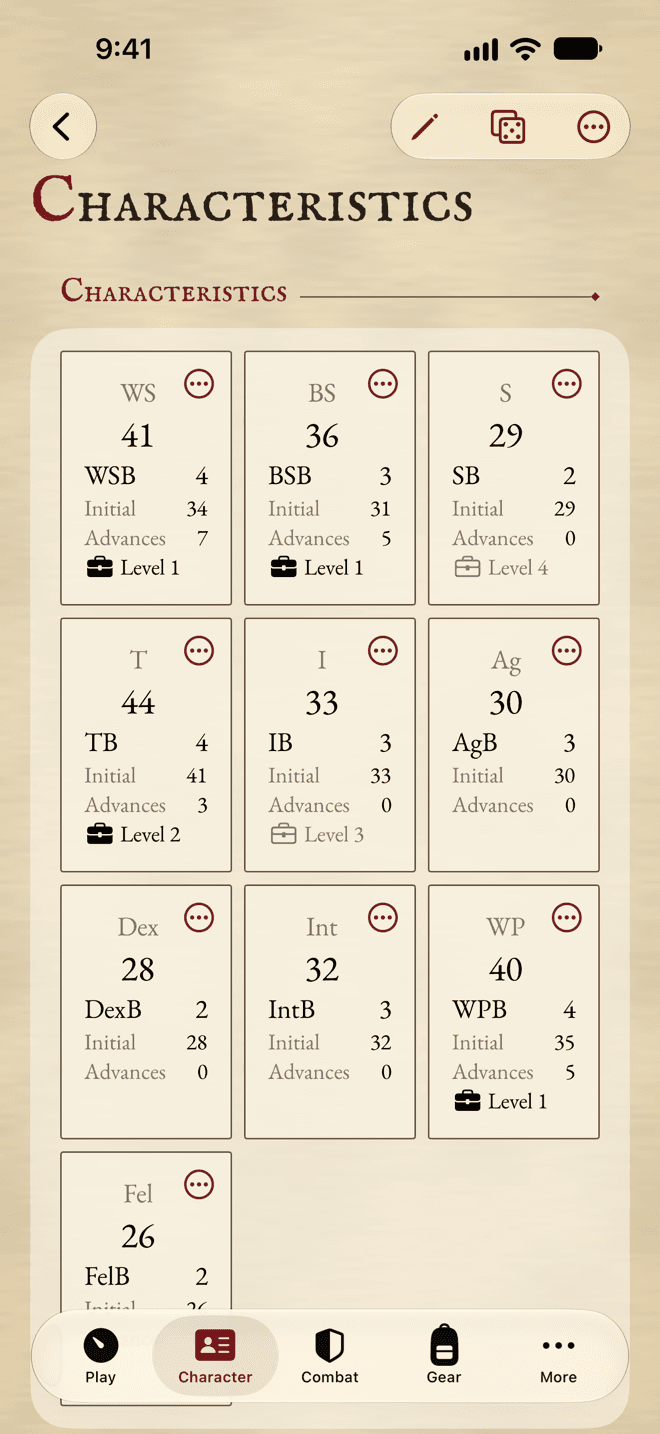
- 1Tap the card to roll a Test.
- 2Its … menu: buy an Advance, see the breakdown, or undo.
- 3Advanced by your career level.
- Tap a card to roll a Test of it in the dice panel.
- Tap its … button for Buy Advance…, Show Breakdown and Undo Last Advance.
Entering a character’s values
Turn on Edit to type each Initial value, the free Advances (the ones that cost no XP, like those from character creation) and any Modifier. Advances bought with XP are added on top, and shown under the field.
For a new blank character, Enter Characteristics turns on Edit mode for you.
Movement and Initiative
Below the grid: your Movement, with Walk and Run in yards, and your Initiative. Their base comes from your species. Carrying too much slows you down, and the app shows by how much.
Fate, Fortune, Resilience and Resolve
Fate and Resilience are permanent. Fortune and Resolve are what you spend during a session, and their maximum comes from Fate and Resilience.
- Fortune and Resolve are trackers: tap − and +. They can go above their maximum when the rules say so: the app marks it rather than stopping you.
- Spend Fate… and Spend Resilience… spend one for good, after asking. The maximum of Fortune or Resolve drops with it.
- To correct Fate or Resilience, turn on Edit and type the number.
New Session, on Play, fills Fortune back up.
Skills
Each skill shows its Characteristic, its Advances and, in bold, its target. Your career skills are marked Career.
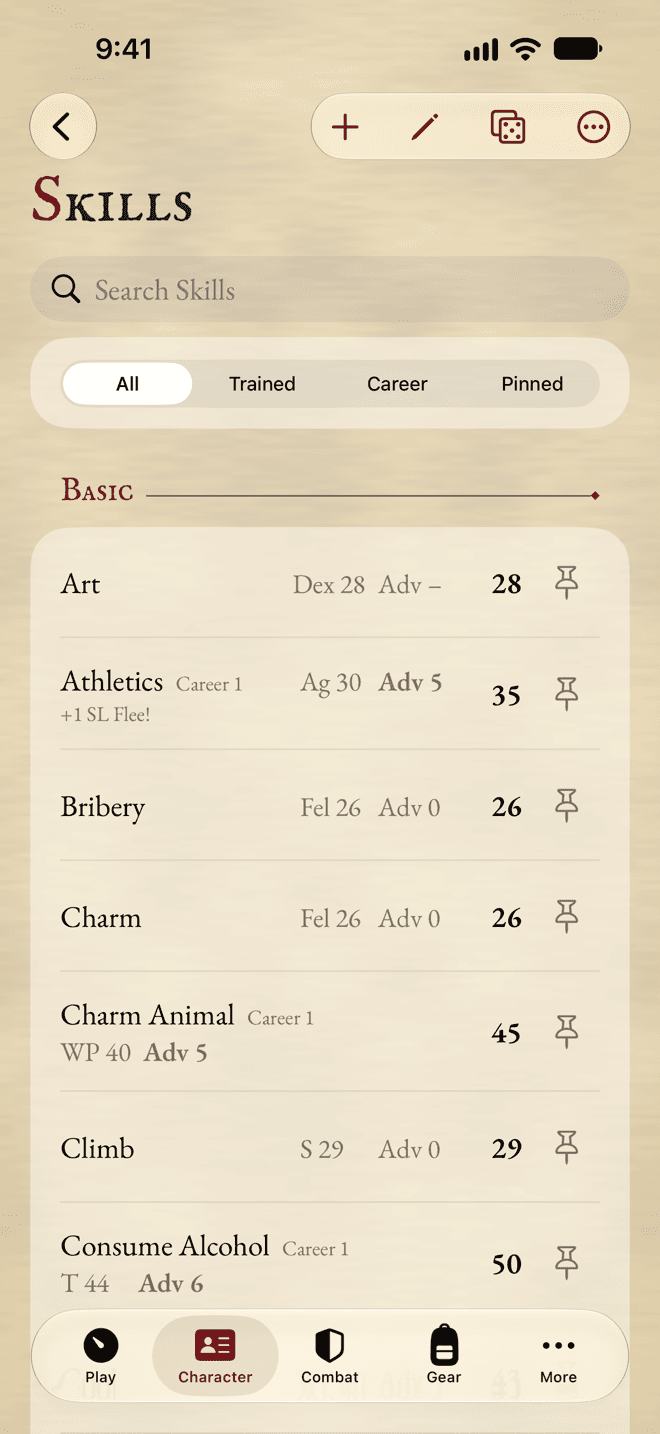
- 1Show all skills, or only some.
- 2Tap a skill to roll it.
- 3Its target. Tap it for the breakdown.
- 4Pin it to Play.
- Tap a skill to roll a Test of it.
- Tap its target to see the breakdown.
- Tap the pin to put it on Play.
- Use the filters at the top to see only the skills with Advances (Trained), your Career skills, or your Pinned ones.
- Swipe a skill to the right for Buy Advances…; to the left for Edit… and Delete….
Adding skills
A new character starts with the Basic skills. To add another, tap Add and Add Skill…. For a skill with Specialisations, you’re asked which one: each Specialisation is a row of its own. Add Basic Skills from Compendium adds any Basic skill the sheet is missing.
In Edit mode, each skill shows its free Advances and a Misc modifier, to type in.
Talents
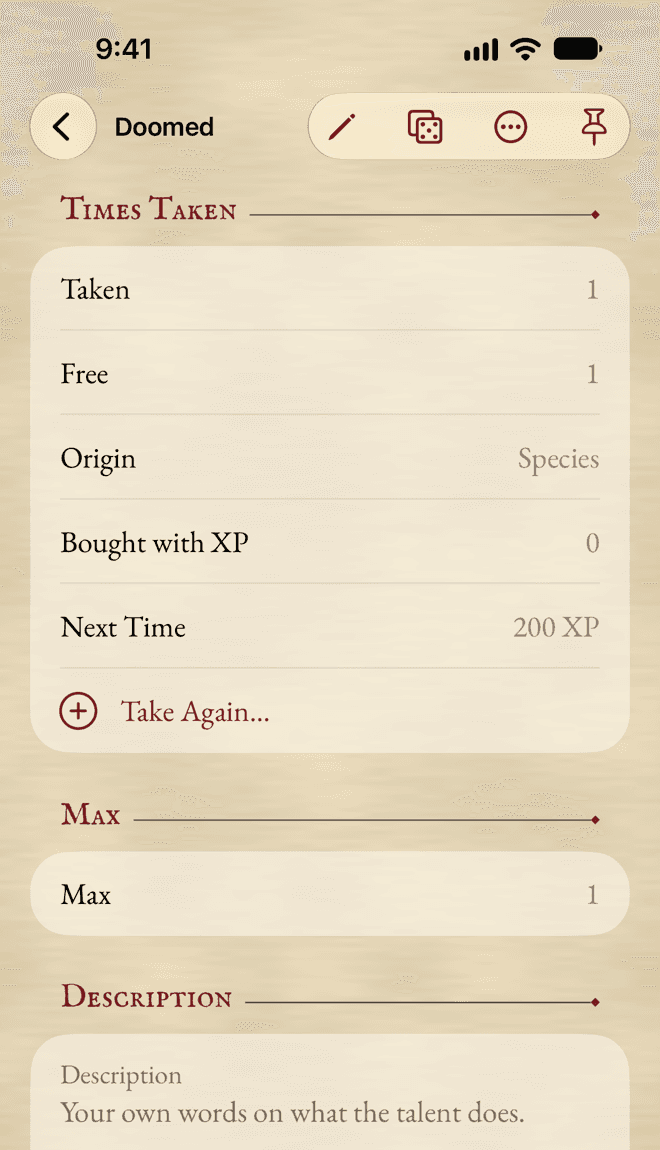
Each talent shows how many times it’s taken, against its Max, and when it adds to a Test. Its effects are applied for you: a talent that raises a Characteristic or your Wounds does so on the whole sheet.
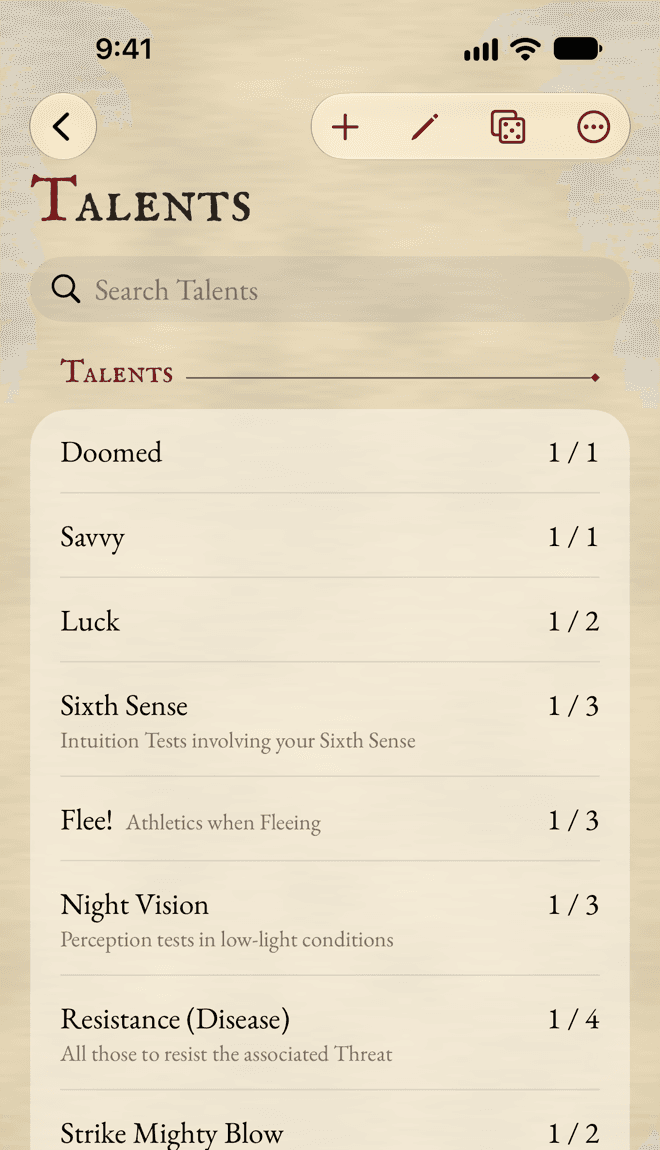
Tap a talent to see everything about it: the times taken, the price of taking it again, its Max, its Tests and the skills they match, its effects and your own description.
Adding a talent
Tap Add Talent, pick it or type a name, then say how it was Gained: Bought with XP, at the price shown, or Free, from your species, your career or a gift. Take Again… takes a talent one more time.
When a talent improves a Test, the app offers its bonus in the dice panel, switched off. Switch it on when it applies.
Experience
Advancement is your experience ledger. Every award and every purchase is a line in it, so Unspent, Spent and Total XP always add up.
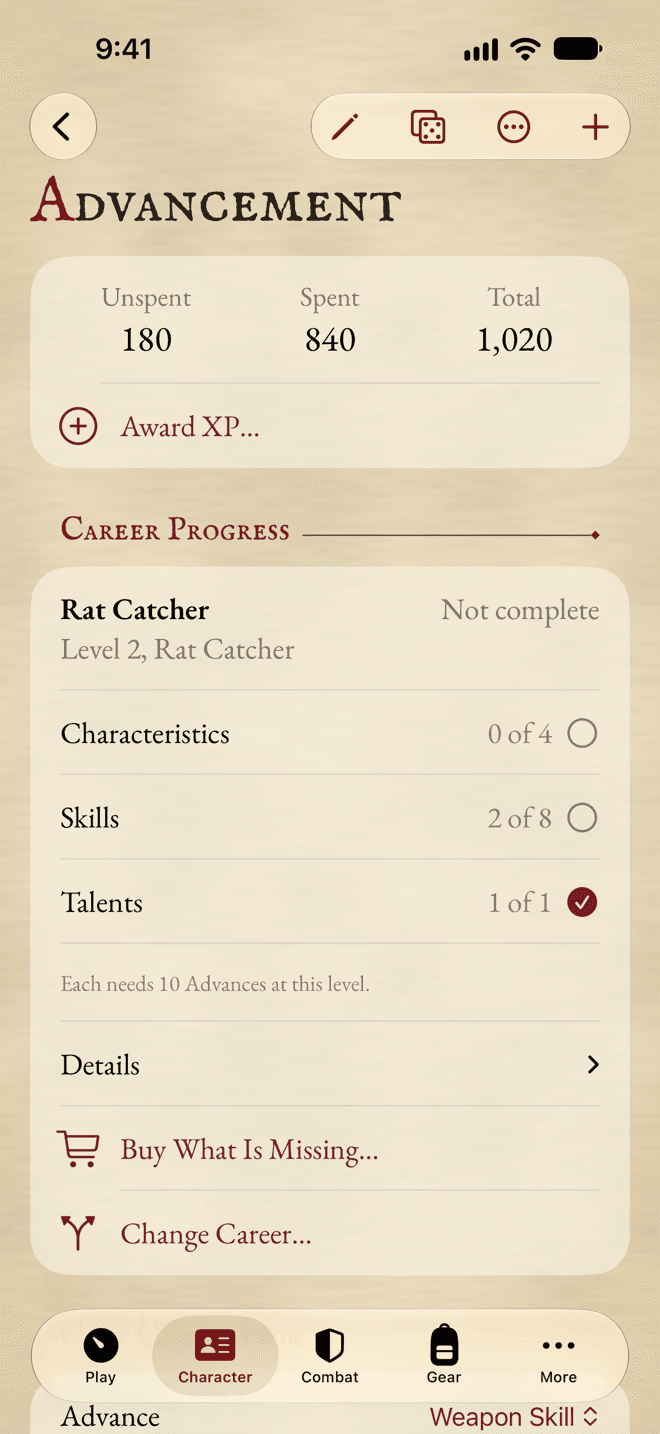
- 1Award XP… after a session.
- 2Done for this level, or not yet.
- 3Buy What Is Missing… at career price.
- 4Change Career…
Awarding XP
After a session, tap Award XP…. Type the amount, pick a Reason, and add the length of the session or a note if you like. Amounts you’ve given before show up in the Award XP menu, for one-tap awards.
Bringing in a character you already play
Tap Add and Opening Balance…. Type the XP your character earned and spent before. Then type their Advances on the sheet itself, as free Advances: they count toward the price of the next one, but cost nothing now.
The ledger
XP Earned and XP Spent list every line, newest first. Tap one to change it. Swipe the latest purchase of something and tap Undo Purchase to take it back: the Advances go, and the XP comes back.
For anything else you buy with XP, use Add and Record Other Purchase….
Buying Advances
Buy an Advance from wherever its value is: Buy Advance… on a Characteristic, Buy Advances… on a skill, Take Again… on a talent.
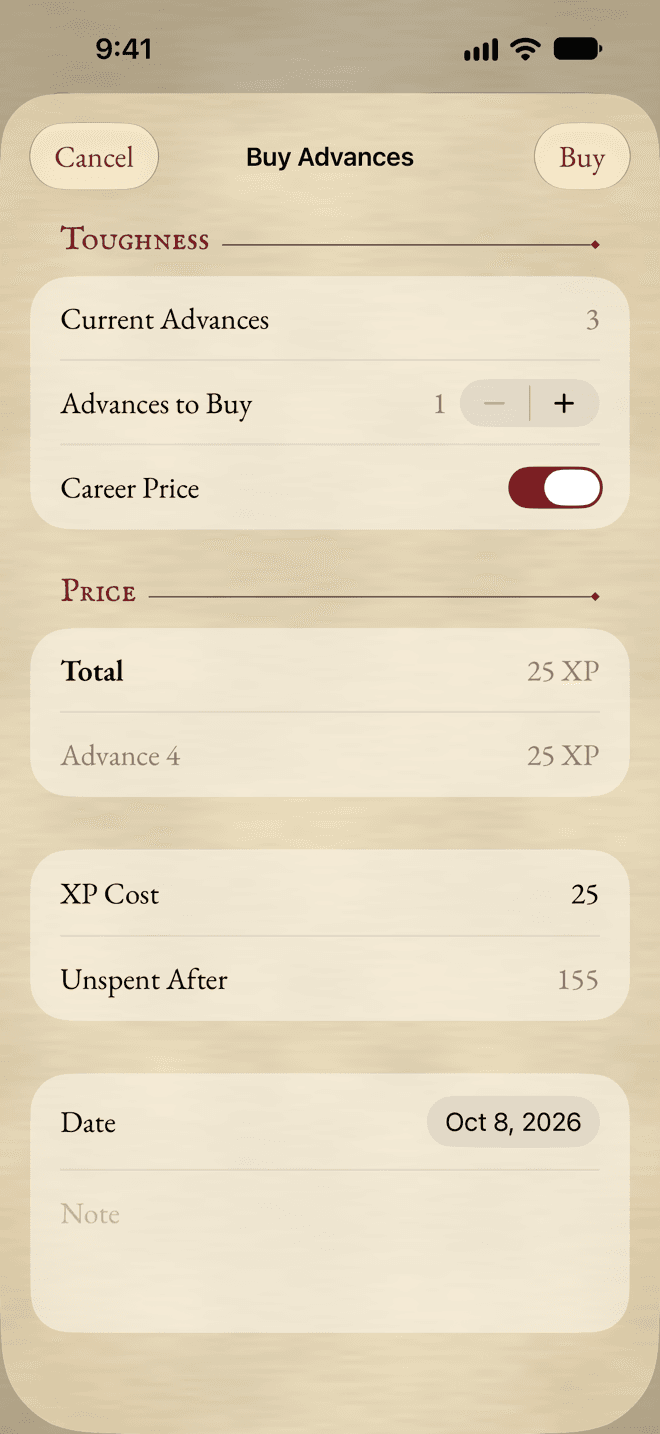
- Choose how many to buy.
- Check Career Price. It’s on when your career level advances it; outside your career, the price doubles.
- Look at the Total and the Unspent After.
- Tap Buy.
The app never stops you from spending more than you have: it marks it, so you and your GM can decide.
The Cost Calculator
Further down in Advancement, the Cost Calculator tells you what a number of Advances would cost, without buying anything. Buy… buys them.
Careers
Career Progress shows how far you are through your current level: how many of its Characteristics, skills and talents have enough Advances. Open Details to see which ones are missing. Buy What Is Missing… buys them all, at career price, in one go.
Changing career
Tap Change Career… (in Advancement or Profile). Choose Another Level of your career, or Another Career. The app says what kind of move it is, and what it costs: less when your current level is complete, more for another class. Tap Change.
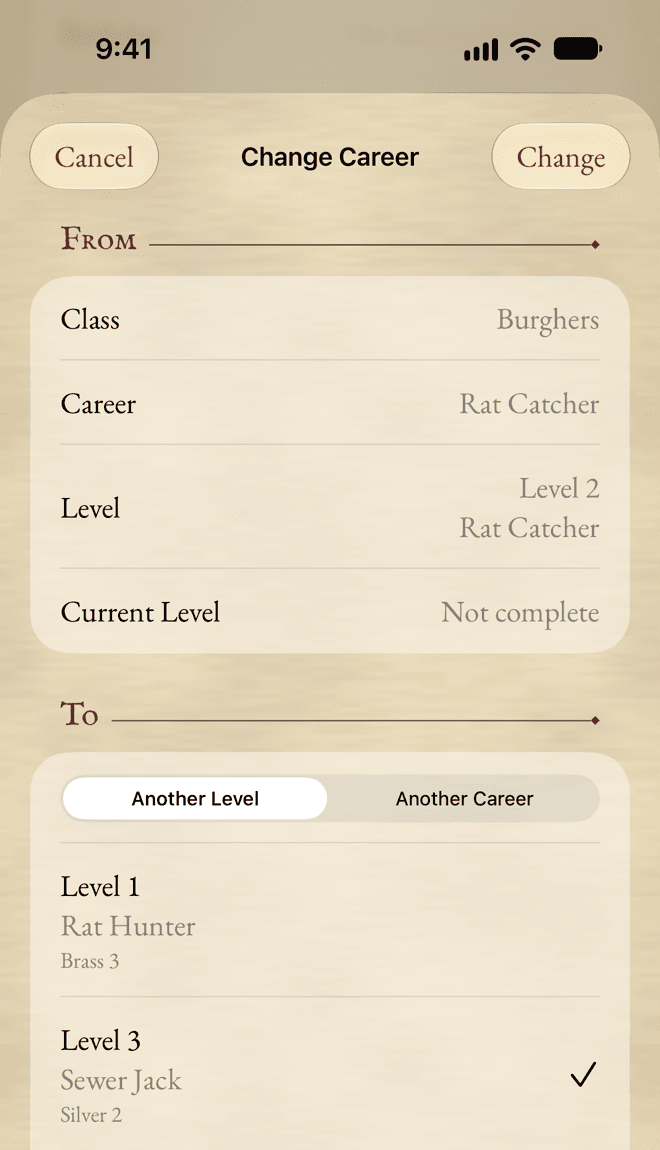
The change is added to your Career History and its cost to your ledger. Changed your mind? Undo it from the ledger.
Career History
Every career level you’ve held, oldest first, with the date you entered it. The last one is your current career. In Edit mode, Add Past Career… adds one from before, without any XP.
Still stuck, or does something work differently from what this says? Write to me.