
Combat
Combat holds what your character fights with and what protects them. Weapons and armour are also trappings: they count toward your Encumbrance, and show in Trappings too.
The Combat section
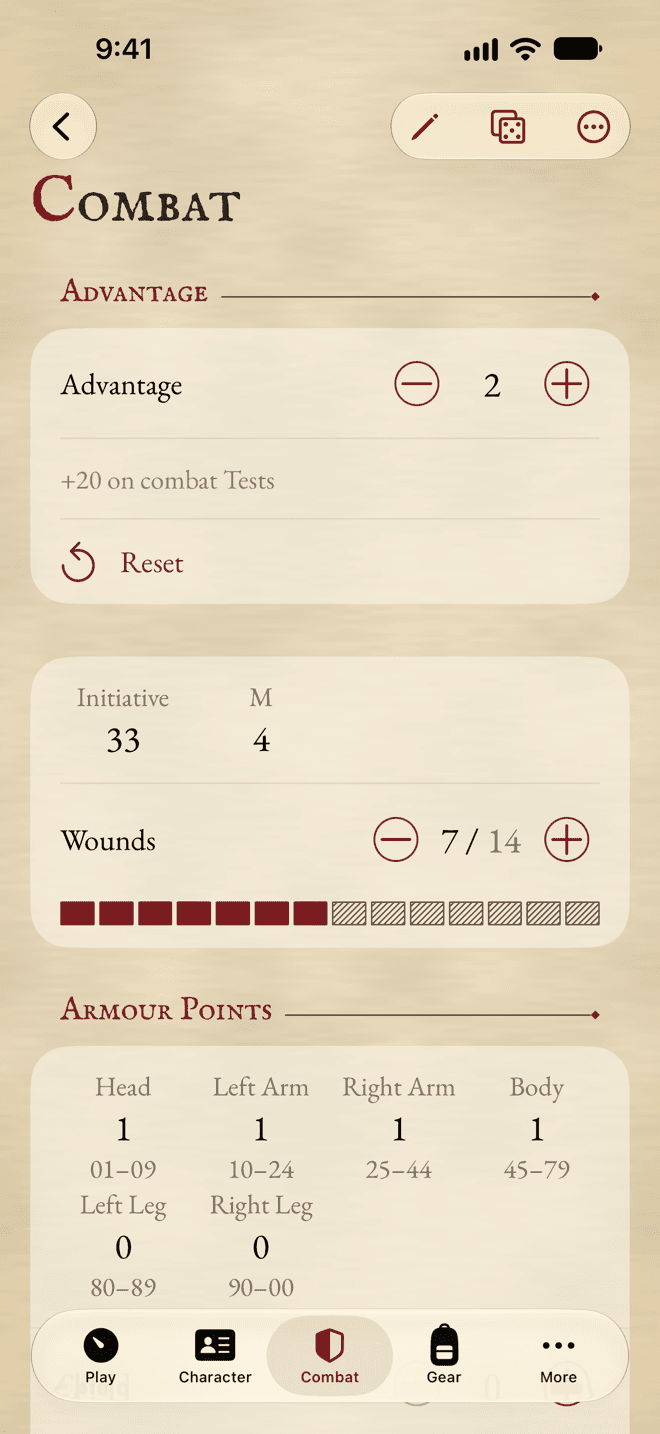
From the top: Advantage, then your Initiative, Movement and Wounds, the Armour Points of each hit location, your Weapons, Ammunition and Armour, and a place for Combat Notes that you can write in at any time.
Advantage
Advantage is a tracker: tap + when you gain it. The bonus it gives your combat Tests is shown under it, and added to them for you. Reset drops it to 0.
When you lose Wounds or gain a Condition, the app offers to reset it. If your table caps Advantage, set the cap in Sheet Options.
With the Group Advantage rule switched on, allies and adversaries each keep one pool: you’ll see Ally Advantage and Adversary Advantage instead, and Seed Pools… to fill them as combat begins.
Armour
The Armour Points grid shows each hit location with its range on the d100, and the Armour you wear there. Tap one to see which pieces add up to it. Your Shield rating and Toughness Bonus are shown beside it, apart.
Under Armour, each piece has a Worn switch. Only what you wear counts. Add Armour picks a piece from the Compendium.
Weapons
Add a weapon with Add Weapon. Each one shows its target, its Damage and its reach or range. Tap the Damage to see how it’s worked out, and Range Bands for the modifier at each distance.
- Tap a weapon to roll it in the dice panel. A hit shows its location.
- Switch on Readied for the weapons in hand. Readied weapons show on Play, and only they apply their effects.
- If a weapon’s skill is missing, the app tells you, and tests it the way the rules say.
Ammunition
Add arrows, bolts, shot and the like under Ammunition, with a counter for how many you have. Link them to a weapon in the weapon’s editor, and Use 1 on Play spends one.
The attack helper
For the whole of an attack in one place, touch and hold a weapon (or swipe it to the right) and choose Attack….
- Under Target, say what you’re hitting: a Character, a Quadruped or a Structure.
- Roll the Test, with the app’s dice or yours.
- In melee, type your opponent’s result under Opponent.
- Read the Result: whether you hit, where, by how many SL, and the Damage.
- Type the target’s Toughness Bonus and Armour there, and Wounds Lost is worked out.
The helper changes nothing by itself. Its buttons do it when you tap them: Use 1 Ammunition, +1 Advantage on a hit, or Reset Advantage when your opponent wins.
Weapons with crews, salvos and areas get their own extra parts in the helper, worked out for you.
Mounts
A character with a mount, or with the Expanded Mounted Combat rule switched on, gets a Mounts part in Combat. Add Mount… picks a creature from the Compendium, or takes a name you type.
- Each mount has its own Wounds counter. Tap it for its stat block.
- Swipe it to the right and tap Saddle Up to ride it, and Dismount to get off.
- With the mounted combat rule, riding changes your Movement and your Tests, and Fall from Mount… works out a fall.
Pursuits and sprints
Pursuit…, on the bar of Play, follows a chase Round by Round: who’s running, how fast, the distance between you, and when someone tires. Nothing is kept once you close it.
With Group Advantage switched on, Sprint… works out how much further you go this Round.
Still stuck, or does something work differently from what this says? Write to me.